The keyword drawer
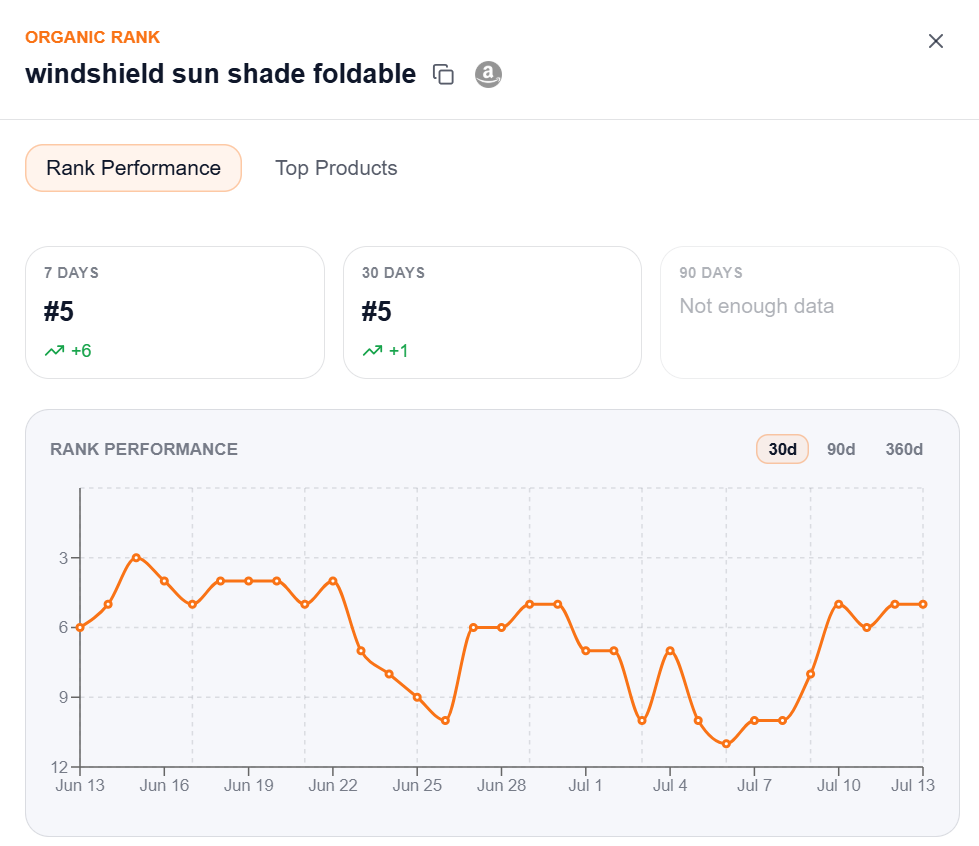
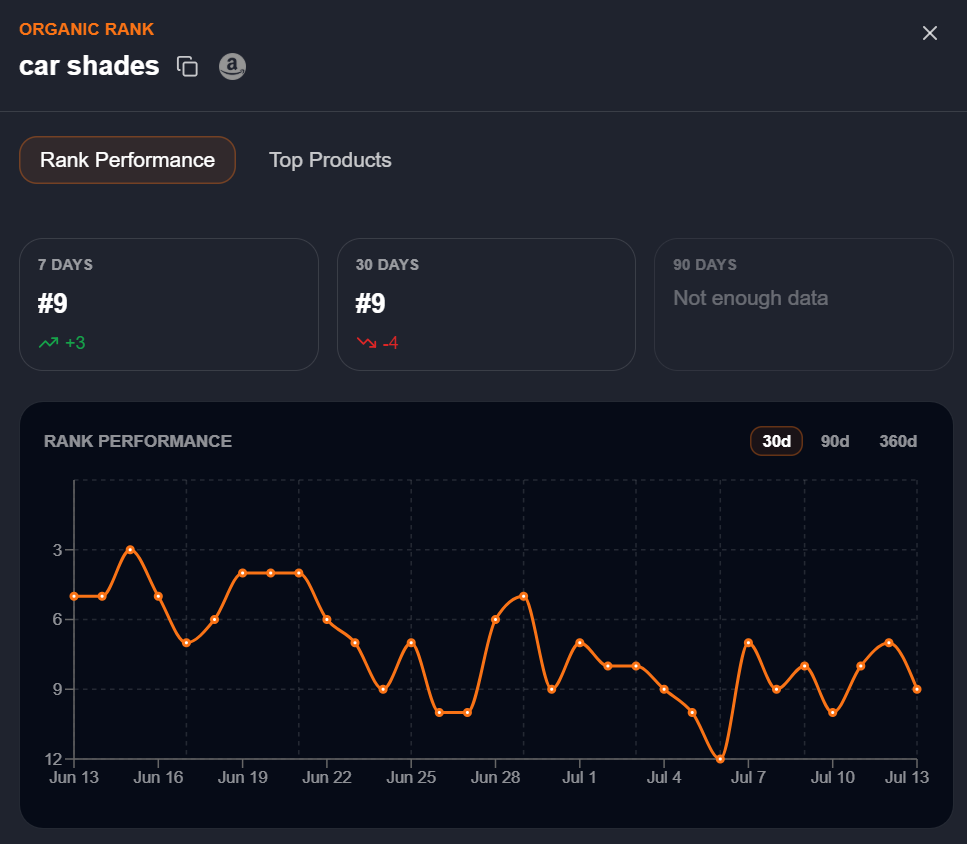
Clicking any row in the heat map slides a drawer in from the right, showing the full history and page context for that single keyword.
Header
- {Rank type} rank — matches the tab you clicked from (Organic / Sponsored / Overall).
- The keyword text.
- Copy — one-click copy to clipboard (button briefly reads "Copied!").
- Search on Amazon — opens the exact search on the group's marketplace so you can eyeball the results yourself.
Tab 1 — Rank Performance
The default view. Three trend cards + a chart.
The three trend cards
| Card | What it compares |
|---|---|
| 7 days | Latest known rank vs. rank at (or before) 7 calendar days ago. |
| 30 days | Latest vs. 30 days ago. |
| 90 days | Latest vs. 90 days ago. |
Each card shows the current rank as #N, plus a coloured delta or "Not enough data" if the group is too young / has no baseline in that window. A negative delta (rank went down = position improved) is green; a positive delta (rank went up = worse position) is red.
The chart
A single line with one point per scan day. Use the 30d / 90d / 360d buttons above the chart to pick the window — it opens at 30 days, and 360 lets you look back a full year (rank history older than 360 days is automatically removed).
- Y axis is reversed. Higher on the chart = better rank. #1 is at the top, #200 is at the bottom.
- Hover any point to see the exact rank on that day (
#42etc.). - Gaps in the line correspond to days where the ASIN wasn't ranked in the top 200 — those days simply aren't plotted.
If the group is brand-new, the chart may show a single dot; that's fine, tomorrow's scan will add the next point.
Tab 2 — Top Products
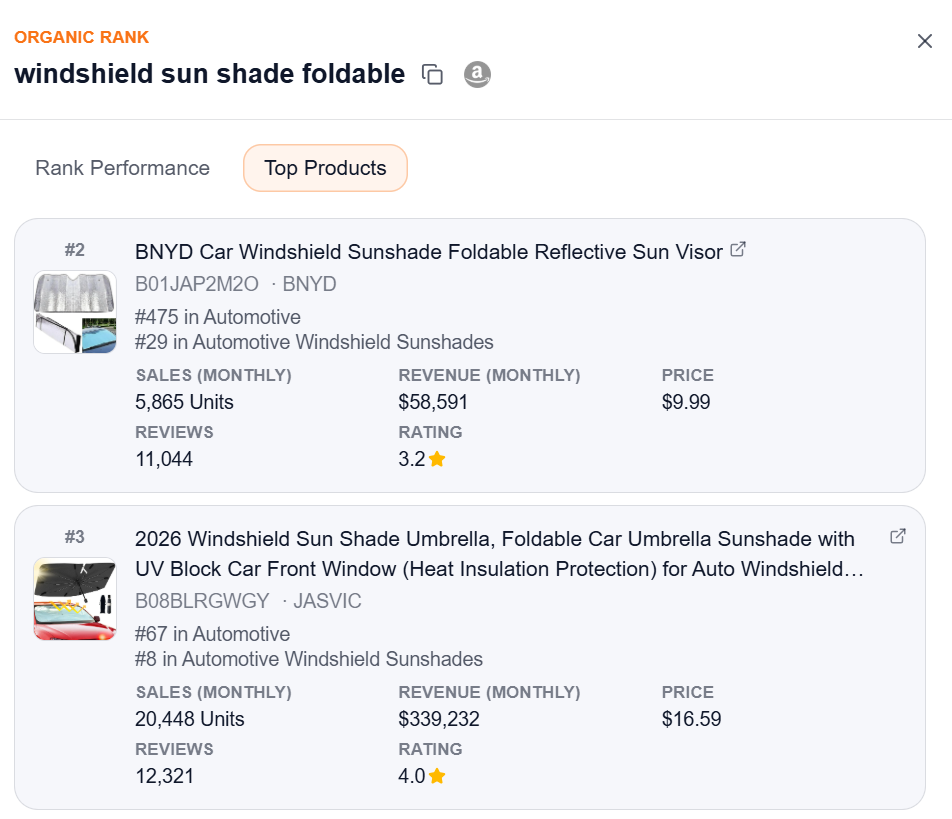
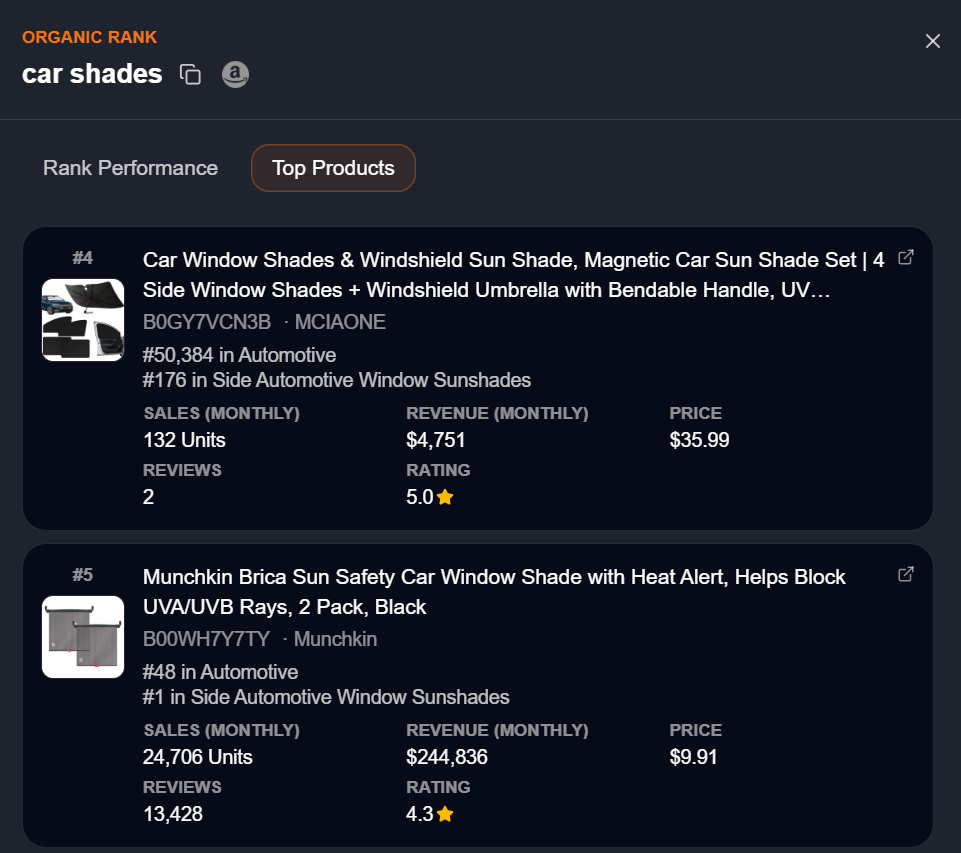
A snapshot of the last check's search results for this keyword, showing the top 25 organic listings. Not just yours — the whole competitive landscape.
Each card shows:
- Position number (organic rank on that page).
- Thumbnail, title, ASIN, brand.
- BSR — Amazon's Best Sellers Rank at check time.
- Sales (Monthly) and Revenue (Monthly) — estimated from BSR using AMZSeller's sales estimator tables. Available for marketplaces the estimator covers (US, CA, MX, UK, DE, FR, IT, ES, IN, JP); other marketplaces show BSR only.
- Price, Reviews, Rating.
Cards are refreshed on every daily check. Only the latest snapshot is kept — Rank Tracker doesn't archive yesterday's results. If you want a running record of who else ranked, screenshot the tab or lean on the rank chart instead.
If the group was created but the first daily check hasn't completed yet, you'll see "No results captured yet for this keyword."
Closing the drawer
Click outside the drawer, hit Esc, or click the close button in the top-right. The heat map is exactly where you left it.
Reading the drawer with intent
A few patterns worth watching:
- Chart trending up on your ASIN + your ASIN missing from Top Products — you're in the top 200 but not the top 25. Time to review the listing, not the ads.
- Chart stable but you're spending on ads for that term — you're paying for a rank you'd already own organically. Consider pausing the keyword on the ad side and pocketing the savings.
- Cluster of competitors with much lower BSR than yours in Top Products — the demand behind that keyword is real and your rivals are converting it. Worth doubling down on the listing and the campaign.