Product-level controls
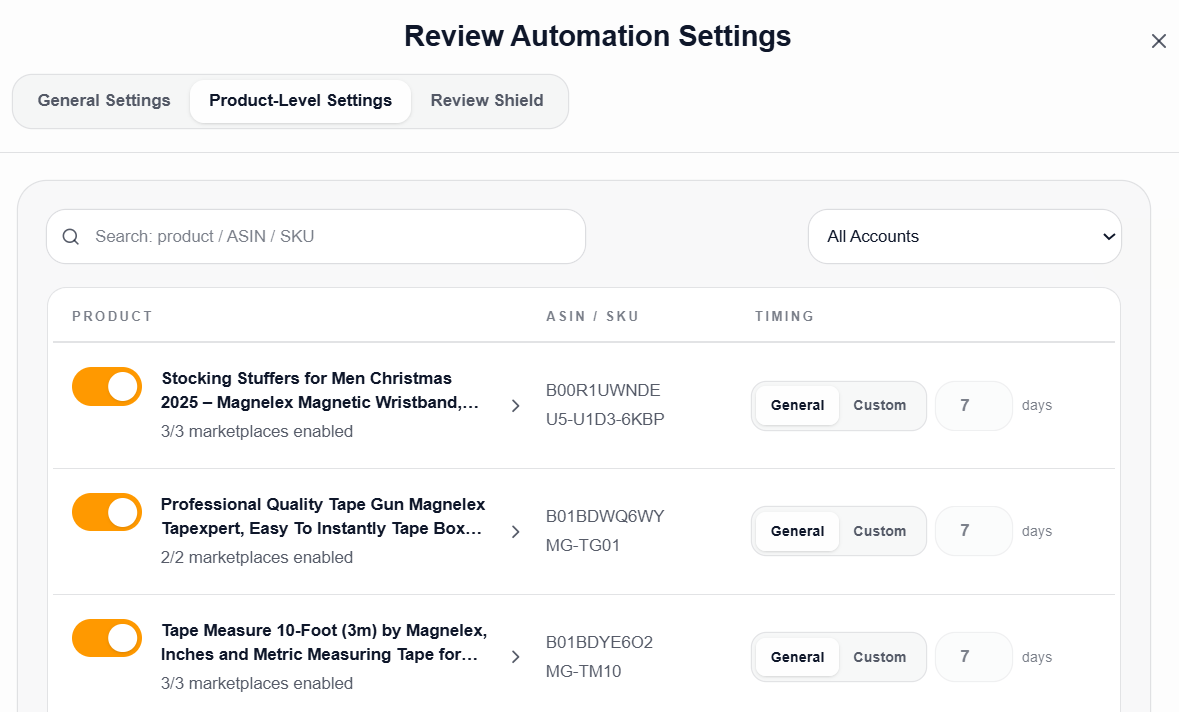
The Product-Level Settings tab in the Review Automation Settings modal lets you override the global and marketplace rules on a per-SKU / ASIN basis. Useful when one product has different economics, a different review profile, or lives across marketplaces with different behaviour.
When to use product-level rules
The global default is enough for most sellers. Reach for product-level rules when:
- One product has a lot of returns. Turn it off individually rather than reduce the global delay.
- A product is brand-new and you want to be conservative — pause it for a few weeks while early reviews land organically.
- A high-consideration product (something a buyer takes time to fully evaluate) — set a longer custom delay so the request fires after they've had time to actually use it.
- A product sells in multiple marketplaces and one behaves differently — override just that one marketplace within the product.
Everywhere else, the general default plus marketplace overrides handle it.
The product list
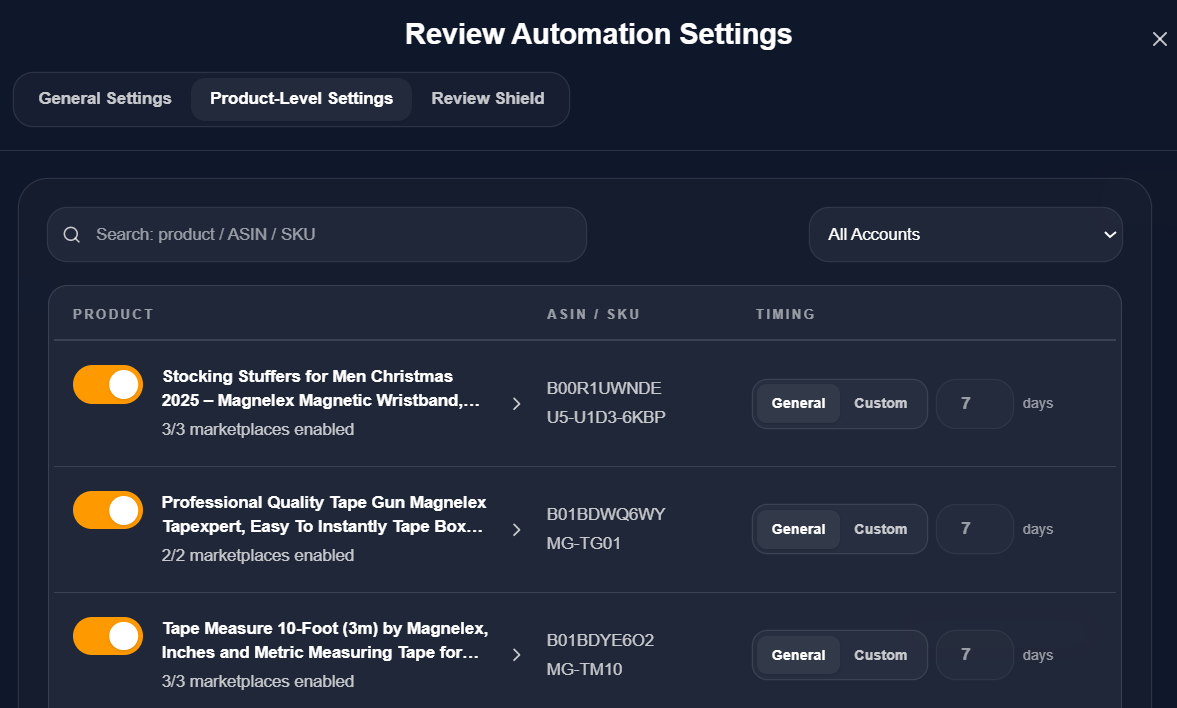
The tab shows your catalog as a searchable list, best sellers first (units sold in the last 90 days; products without recent sales follow, alphabetically). Search matches product title, ASIN, or SKU.
Each product row carries:
- Product image, title, ASIN, SKU — the same catalog image used on the Dashboard and in Inventory.
- Automation toggle — on / off for this product across all marketplaces where it's sold.
- Mode — General (inherit the general timing rules) or Custom. In Manual mode Custom is a number of days (5–30). In Smart mode Custom is a dropdown of the five levels (Aggressive … Conservative), each shown as Level · N days using that product's own timing.
- Timing — the resulting day (and level, in Smart mode) for this product.
Click the row to expand it — that's where the per-marketplace overrides live.
Timing in Smart mode
When the General tab is in Smart, every product has its own send day (see General settings › Smart for how it is worked out: the kind of product decides the starting day, and the product's refund history can move it later). The product rows show that:
- Product row — on General, the pill shows the product's own day at the level chosen on the General tab. On Custom, you pick a level for this product and the day comes from that product's own timing at that level — "the recommendation for this product, but one notch more aggressive / cautious".
- Marketplace row (inside the expanded product) — the same product timing, additionally shaped by that marketplace's own refund history when there is enough of it for that ASIN in that marketplace.
Days are reviewed monthly against each product's own refund history; when a product's day moves, requests still waiting in the queue are moved with it.
New products
A product that is new to your catalog appears in the list automatically after the next catalog sync. Its row shows Preparing… until its own timing is ready — usually within minutes. Until then, orders for that product use the account average at your level, so nothing is held back.
Loading state: "Loading products…" while the product list is being loaded.
Per-marketplace overrides within a product
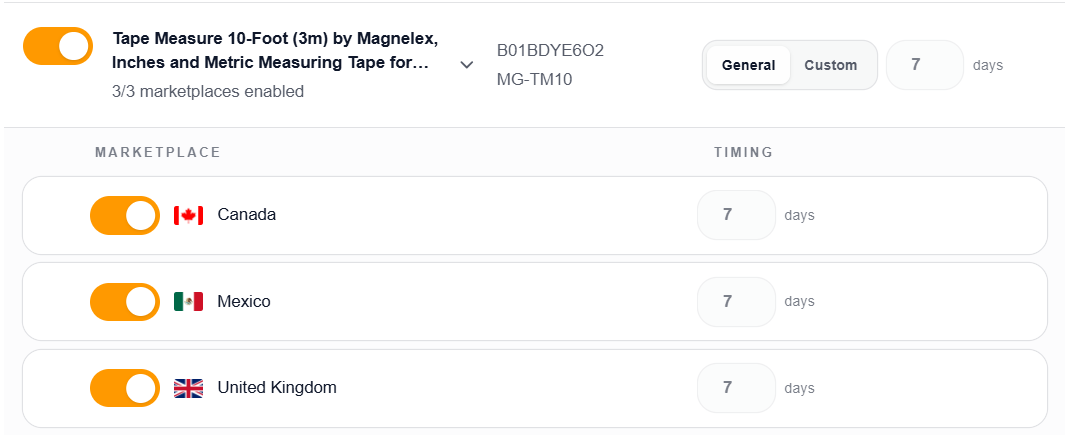
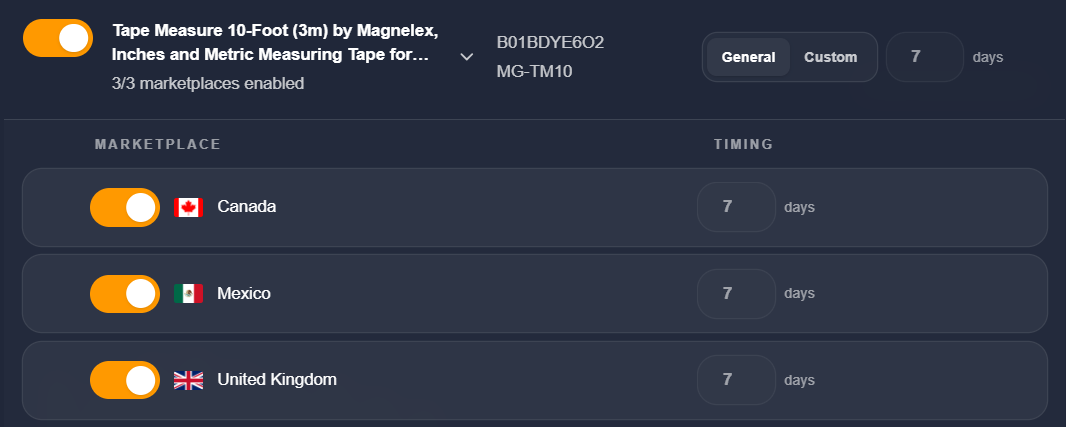
When you expand a product, you'll see one row per marketplace it's sold in. Each marketplace row supports:
- Automation on / off for this product in this marketplace. Overrides both the product's own default and the marketplace-level setting.
- Timing mode:
- General — inherit the general marketplace-level timing.
- Custom — in Manual mode, a delay of 5–30 days. In Smart mode, one of the five levels (Aggressive … Conservative). The day next to the level is that product's own day at the chosen level.
This nested structure lets you say things like "turn this SKU off in Germany but keep it on in the US, and, in Manual mode, use a 12-day delay for the UK version".
The precedence rules
The most specific setting wins. From most to least specific:
- Product × marketplace override — inside the expanded product row.
- Product default — the row-level toggle and timing for the product.
- Marketplace default — the marketplace's own toggle and timing (from the General tab).
- General default — the account-wide default.
In Smart mode the same order applies to levels: product × marketplace level → product level → marketplace level (General tab) → account level. The day for that level is then read from the most specific timing that exists: the product × marketplace's own timing → the product's own timing → the account average.
Concretely: with the product row on, turning the DE override off skips DE orders for that SKU and leaves every other marketplace sending. Turning the product row itself off switches the SKU off everywhere — the per-marketplace overrides are locked while the product is off, so there's no "off at product level, on in one marketplace" state.
Common patterns
"This is my main product line"
Do nothing at the product level. The global default and marketplace timing cover it.
"This one SKU has a lot of returns"
Product row → toggle off. Every marketplace for that SKU stops sending, regardless of the higher-level settings.
"This SKU needs a longer delay because customers take time to unbox it"
Product row → timing Custom → set 14–21 days. Applies across all marketplaces for that SKU unless a specific marketplace override says otherwise.
"This SKU sells in US and DE, but we returned a bad batch in DE"
Expand the row → DE marketplace override → toggle off. US keeps sending; DE goes dark until you flip it back.
"New launch — hold review requests for the first two weeks"
Product row → toggle off at launch. Turn back on once you're comfortable with early conversion patterns.
What the settings don't override
- Review Shield — shield rules apply to every order regardless of product settings. A high-refund-rate ASIN is skipped even if the product is set to "enabled" — that's what the shield is for.
- The 5–30 day Amazon window — custom timing must stay within Amazon's own window. Values outside the range are rejected.
- The master toggle — if the account-level master is off, nothing sends anywhere.
Bulk changes
There's no bulk-select on the product list in the current version. Use the search to narrow by product family (e.g. type your brand's SKU prefix) and toggle each row.
Products that don't appear yet
New SKUs show up after the next catalog sync. An order or a shipment report is not required for the row to appear. If a product still isn't listed, it is not in the synced catalog yet.
Saving
Product-level settings save with Save Settings at the bottom of the modal, same as General.
Restore Defaults resets all product settings back to inherited-from-General — worth noting if you've built up a lot of per-SKU rules and don't want to lose them.