The results table
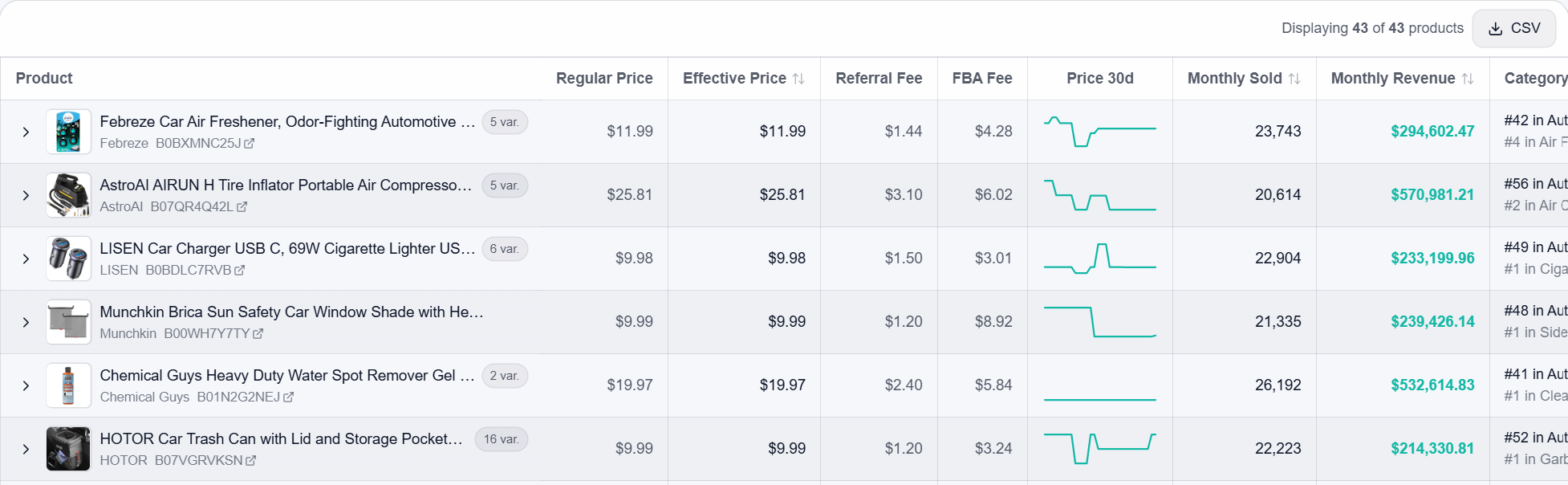
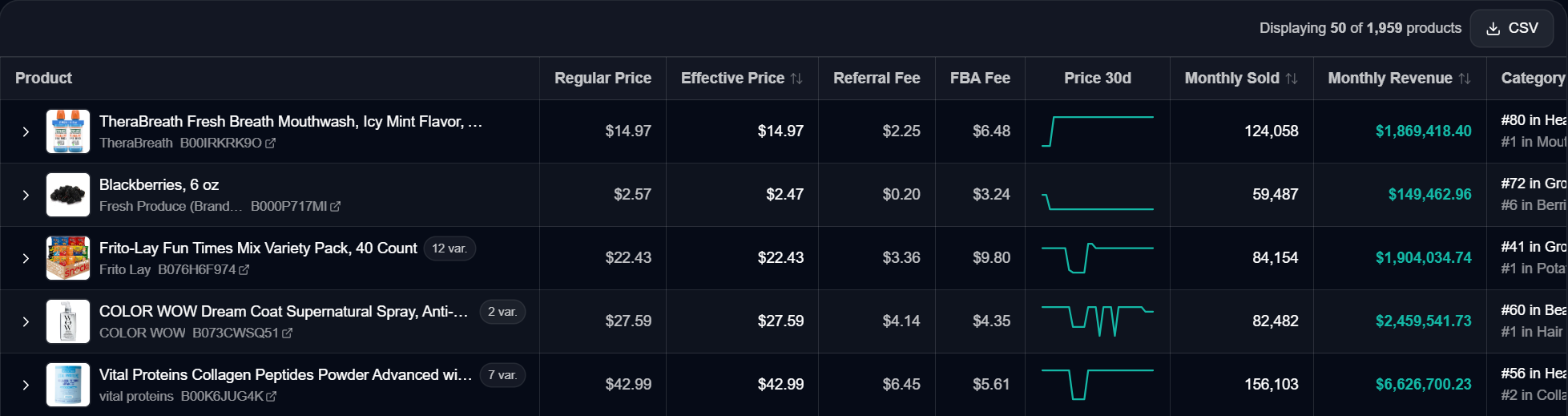
Once a search completes, the right side of the page fills with a wide, sortable table. This page walks through the toolbar, every column, row-level behaviours, and the mobile view.
Toolbar
Above the table:
- Product count — "Displaying X of Y products".
Yis capped at 10,000 even if more matches exist upstream (see FAQ). - CSV — exports the current page (plus any expanded variation children) as
product-research-{marketplace}-p{page}.csv. - Show / Hide filters — appears when the filter panel is collapsed.
The columns
The default sort is Monthly Sold descending. Sortable columns show an arrow indicator; click a header to toggle.
Product
Combined image, title, brand, ASIN, and — if applicable — a var. X pill showing how many child ASINs share this parent. Hovering the image opens a 359px preview. The ASIN is a direct link to the listing on Amazon.
Pricing & fees
- Regular Price — the current listing (NEW) price before discounts.
- Effective Price — the lowest price a shopper could actually pay, factoring in deals and coupons. Sortable.
- Referral Fee — Amazon's referral cut, computed from the category's referral percentage against the effective price.
- FBA Fee — the pick-and-pack fee for FBA fulfilment at this product's size / weight.
- Price 30d — a 30-day sparkline. Click it to jump straight into the drawer's Price History tab.
Demand
- Monthly Sold — our 30-day unit estimate. Sortable: the sort follows the 30-day average BSR the estimate is built from, so within a category the order matches the numbers you see. When BSR history is sparse, the value shows with a
~prefix meaning "approximate — treat as directional". - Monthly Revenue — day-by-day revenue estimate over 30 days. Sortable within the loaded page (see the header tooltip "Sorts the loaded window in-memory"). The calculator icon next to the revenue figure opens the product’s Profit tab in the deep-dive drawer — profit lives there, not in the table.
- Category — the primary category with the ASIN's rank shown as "#N in Category". Category text links to Amazon's Best Sellers page for that category.
- BSR — current Best Seller Rank. Sortable.
- BSR 30d — 30-day sparkline. Click to open the drawer's BSR History tab.
Reviews
- Reviews — total review count. Sortable. Click the cell to open the drawer's Review History tab.
- Rating — average star rating plus the numeric value. Sortable.
Seller & availability
- Sold by Amazon — Yes if Amazon itself has a live 1P offer on the listing; No otherwise;
—if unknown. Tooltip: "Amazon has a live first-party (1P) offer on this listing. Usually — but not always — also the Buy Box winner." - First Available — first-listed date on Amazon.
~prefix means approximate (we're using the first day the ASIN was tracked, because Amazon didn't expose the real launch date).
Catalog metadata
- Dimensions (in) — L × W × H.
- Weight (lb)
- Manufacturer, Model, Part #, UPC, EAN, GTIN
- Size, Color, Material, Variation Attrs
Content flags
- A+ — checkmark if the listing has A+ content.
- Main Video — checkmark if the main image slot is a video.
- Videos — total video count on the listing.
Row-level behaviours
- Skeleton rows — right after a search fires, rows appear with the ASIN + a pulsing placeholder while per-ASIN enrichment finishes. This is normal for the first few seconds.
- Row click — opens the Product Deep Dive drawer (see The deep dive drawer).
- Image hover — pops a larger preview near the row. Follows day / night theme.
- ASIN link — opens the marketplace-local Amazon PDP in a new tab.
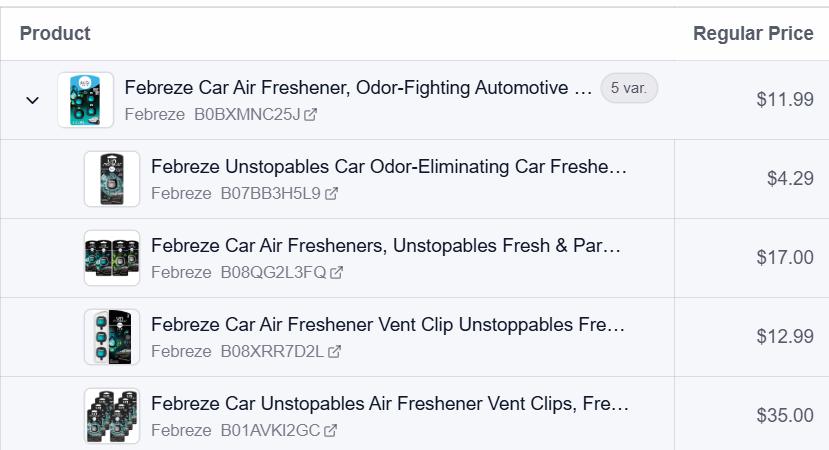
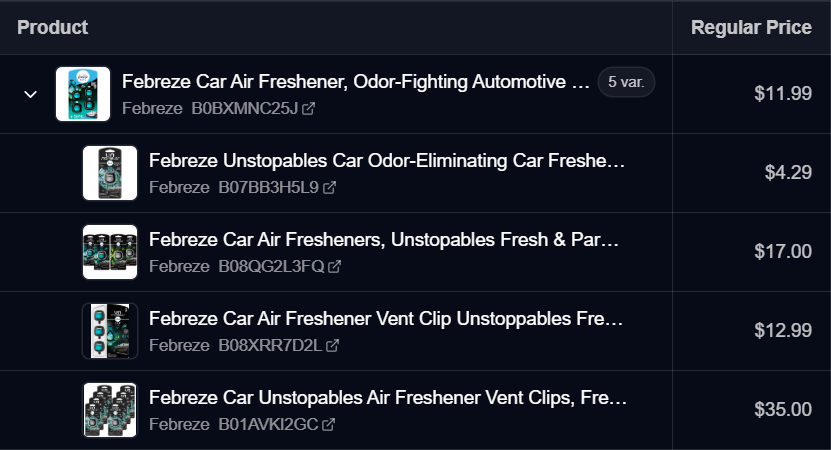
- Variation expand — parents with a
var. Xpill have a chevron on the left; click to expand up to 100 child ASINs. Children copy the parent's BSR / rating / reviews and show their own title, image, brand and list price. While loading you'll see "Loading variations…".
Sorting
Sortable columns: Effective Price, Monthly Sold, Monthly Revenue (in-memory over the loaded window), BSR, Reviews, Rating. Sorting is stable — a Monthly Sold sort followed by a BSR sort keeps the first as a secondary key.
Non-sortable columns exist for at-a-glance information (Regular Price, sparklines, category text, catalog metadata).
Pagination
- 50 rows per page.
- Controls: Prev, Page N / Total, Next. Only visible when there's more than one page.
- The upstream match ceiling is 10,000. If your search would return more, the count clamps at 10k and you should tighten filters to see the true top of the list.
Mobile view
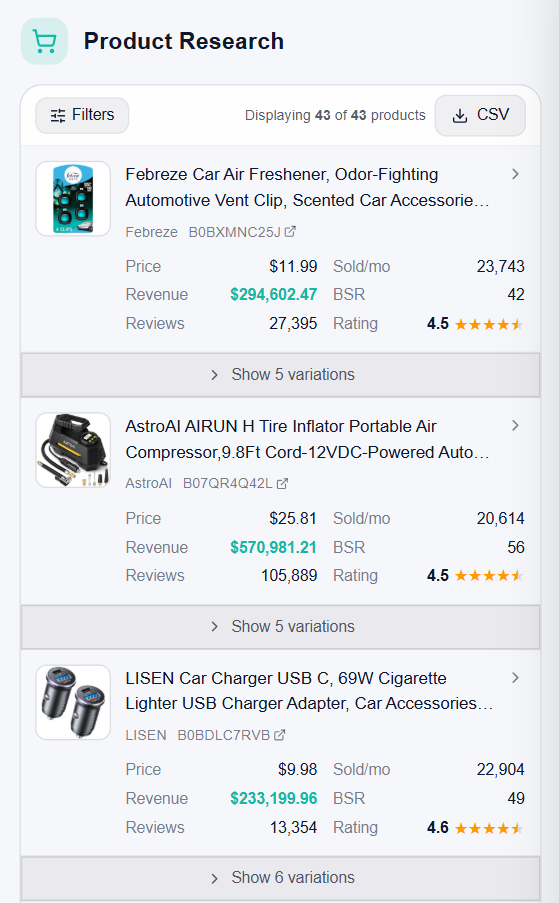
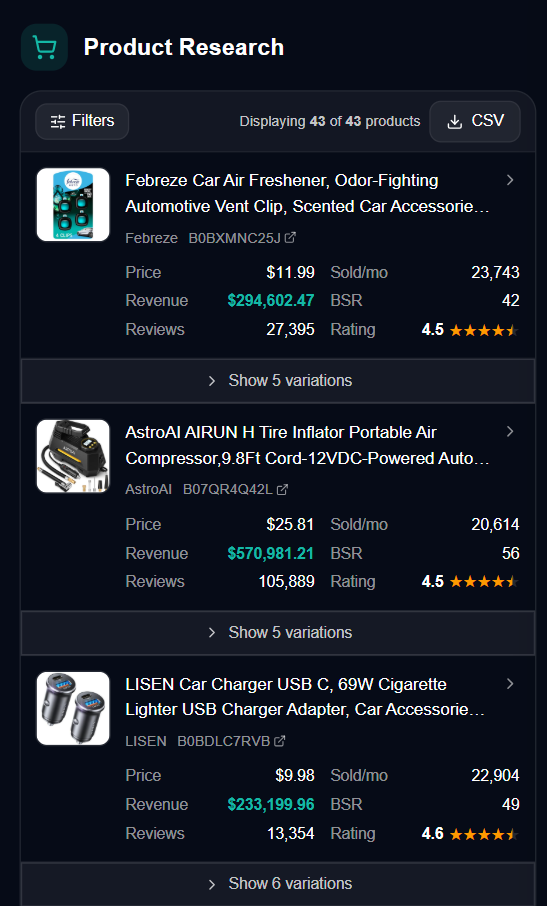
On phones and narrow tablets the table becomes a card list:
- One card per product with title, image, Price, Sold/mo, Revenue, BSR, Reviews, Rating.
- Show variations / Hide variations action per card when the product has a variation family.
- Filter panel is a full-height slide-over sheet triggered by a Filters button.
Export
CSV dumps the current page of enriched rows plus any expanded variation children. Hidden columns are still included — CSV is a wide export by design, so you can trim in a spreadsheet.
File name pattern: product-research-{marketplace}-p{page}.csv. UTF-8 with commas as separators; opens cleanly in Excel, Google Sheets, and Numbers.
What isn't in the table
- Bulk select — the table is row-at-a-time only.
- Copy ASIN button — clicking the ASIN opens Amazon; there's no explicit clipboard copy control today.
- Side-by-side compare — open the drawer per ASIN.