The Rank Guard dashboard


The /rank-guard page is the single home for the tool. It lists every product Rank Guard can act on, shows the current guard state of each one, and is the launch point for configuring rules.
Header stats
Four counters at the top:
- Products — total products in your catalog for the selected account + marketplace.
- Guarding — products Rank Guard is actively intervening on right now (a rule is firing because rank slipped). This is a subset of Armed.
- Armed — products with Rank Guard turned on (the master toggle), whether or not a rule is currently firing. This is the stat that carries your plan's allowance (e.g. 2 / 50) — every armed product uses one slot, and disabling Guard on a product frees its slot.
- Active rules — how many rules across all products are currently switched on.
If no Amazon account is connected yet, the page reads "Select an Amazon account and marketplace to load your guarded products."
Choosing a marketplace
Rank Guard works on one marketplace at a time (campaigns, prices and rules are all marketplace-specific). When your header selector is on All Marketplaces or a region, the page shows a Pick a marketplace panel with a flag button for each connected marketplace instead of an empty list.
Click a flag and Rank Guard loads that marketplace. This choice is local to Rank Guard — it does not change your header selector, so other pages keep whatever scope you had. A small bar then shows "Showing <country> — Rank Guard is scoped to this marketplace" with a Change marketplace link to go back to the flags.
If the header is set to a region, only that region's marketplaces appear in the picker. Setting the header directly to a specific marketplace always wins and skips the picker.
Filters
Above the table:
- Search — matches title, ASIN, SKU or category. Placeholder: "Search by title, ASIN, SKU, or category…"
- Status pills — All / Guarded / Unguarded. Guarded here means "has Rank Guard enabled" (armed), not "currently intervening" — a product that's watching but hasn't triggered yet still counts as Guarded.
Empty search results read "No products match the current filters" with a hint to clear or switch to All.
The information banner
"BSR is parent-level on Amazon. Variations are grouped under their parent so a single rule guards the whole family. Standalone products are shown on their own."
That's the guiding principle behind how the table is laid out.
Product table
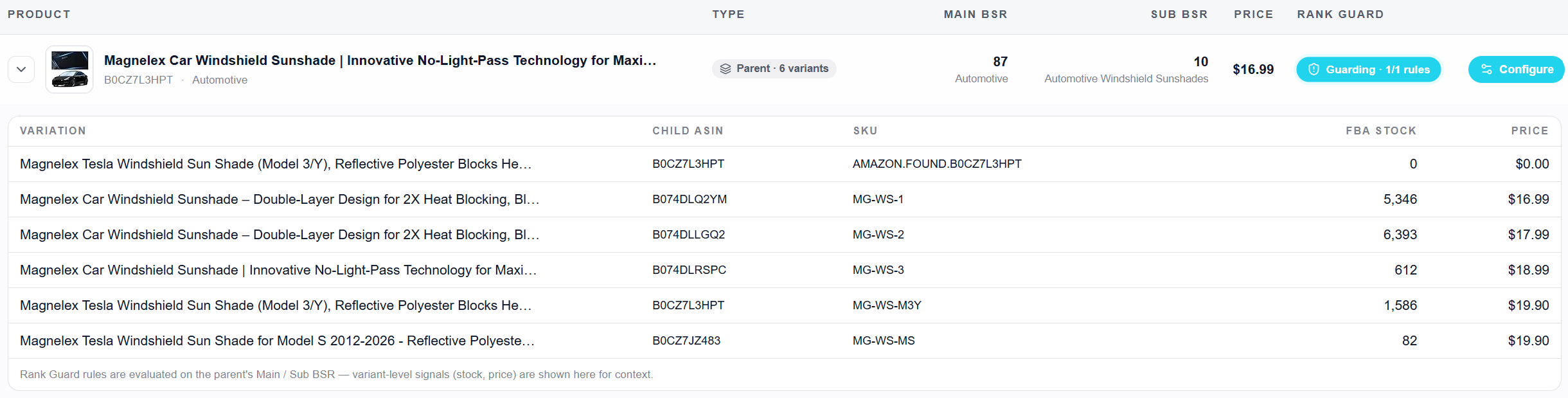
| Column | What it shows |
|---|---|
| Product | Image, title, ASIN, category. |
| Type | Parent · {N} variants for variation families, Standalone for single SKUs. |
| Main BSR | The latest main-category rank + category title. |
| Sub BSR | The latest sub-category rank + sub-category title. |
| Price | Your Price (the regular listing price). |
| Rank Guard | Status badge — see below. |
| Actions | Configure button — opens the rules modal. |
Parent row expansion
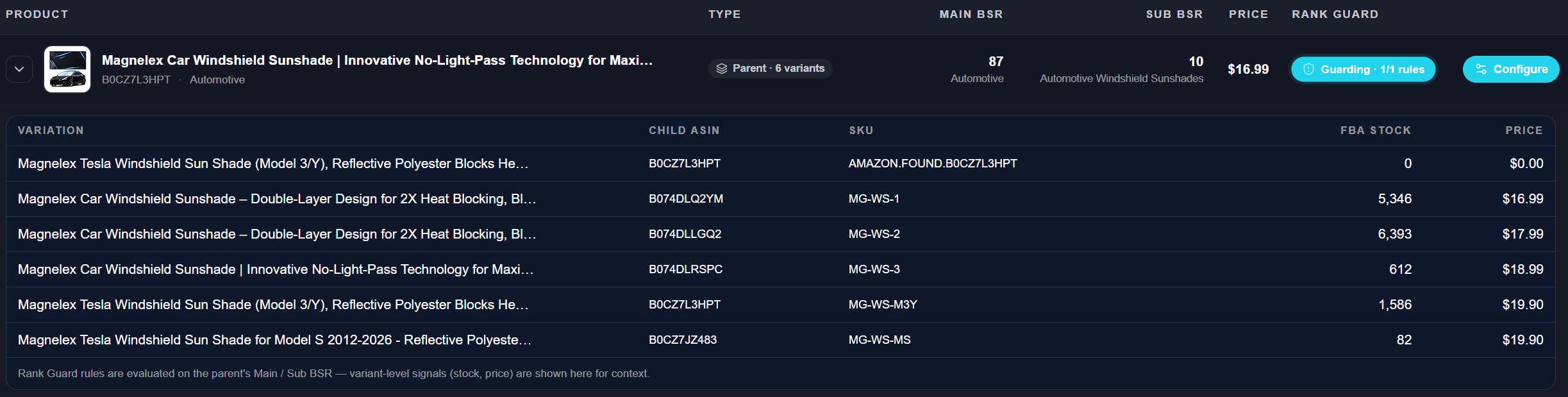
Parent listings have a small caret. Expanding one shows a variant sub-table with Variation, Child ASIN, SKU, FBA stock, Price. A hint underneath the sub-table reminds you: "Rank Guard rules are evaluated on the parent's Main / Sub BSR — variant-level signals (stock, price) are shown here for context."
You still guard the parent, not the child. The variant rows are informational.
Status badges
The Rank Guard column tells you at a glance where each product stands. Three possible states:
| Badge | Meaning |
|---|---|
| Not configured | Rank Guard is off for this product, or you haven't enabled any rules yet. |
| Armed · {active}/{total} rules | Rules are on and watching, but nothing is triggering right now. |
| Guarding · {active}/{total} rules | A rule matched on the last tick — actions have been applied. Badge pulses to draw the eye. |
The counter reflects enabled rules over total rules — e.g. 3/4 means 3 of 4 rules are switched on and being evaluated on every tick.
Because evaluation runs on an 8-hour cadence, a badge can lag reality by up to 8 hours — a product whose rank just recovered ten minutes ago may still read Guarding until the next tick clears it and restores the actions.
Empty states
- No account selected — "Select an Amazon account and marketplace to load your guarded products."
- All Marketplaces / region selected — the Pick a marketplace flag picker (see Choosing a marketplace above).
- Loading — "Loading guarded products…"
- No products match — search returned nothing under the current filter.
What's not on this page
There is no separate detail page — clicking Configure opens the rules modal, which is the full configuration surface. That's the topic of the next section.