Overview
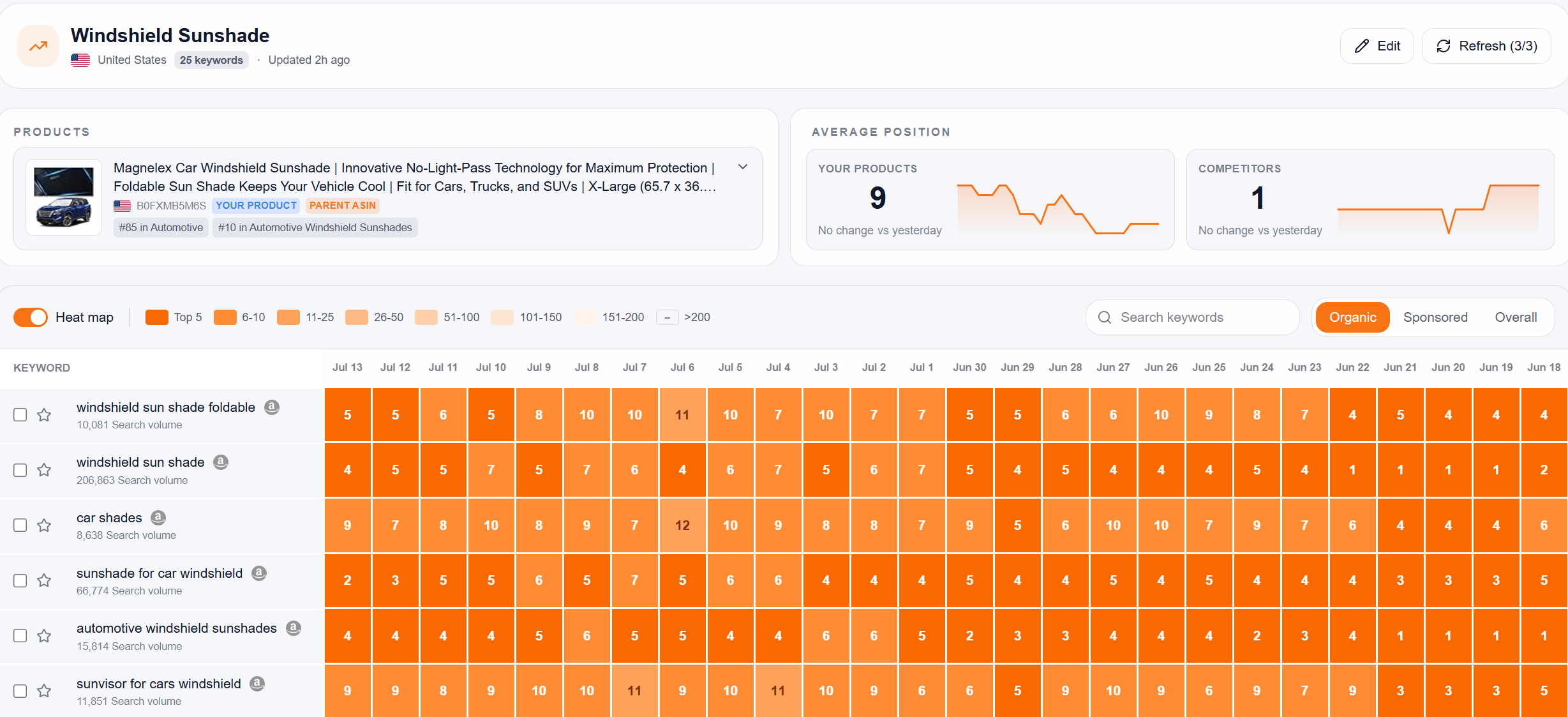
Keyword Rank Tracker answers one question every day, per marketplace: "For each keyword I care about, where does my product currently show up in Amazon's search results — and where do my competitors?"
You don't hit a "track this keyword" button one keyword at a time. Instead you build a small workspace called a Tracker Group that ties together:
- The marketplace you're selling in (US, DE, UK, …).
- The products you want to watch — your own ASINs plus any competitor ASINs you paste in.
- The keywords you want to score them against.
Once a group exists, every keyword's ranking is checked once per marketplace-local day, and each of your tracked ASINs gets a rank number for that day. The whole thing appears as a heat map — 30 days by default, expandable to 90 — so weeks of trend are visible at a glance.
What gets tracked
For every keyword × ASIN × day, Rank Tracker records three positions in the Amazon search results:
- Organic — the "real" position among unpaid listings on that Amazon search. Position #1 means the first non-ad result.
- Sponsored — the position among the ad slots on that search. Only matters for ASINs you're actively advertising.
- Overall — the position in the mixed page as an ordinary shopper would see it (sponsored and organic interleaved in Amazon's actual layout).
A tab at the top of the keyword table lets you flip the whole view between the three.
The "group" concept
Grouping is what makes the tool useful at scale. One group is one product line + one marketplace. Everything inside the group shares the same:
- Marketplace (locked at creation — a group can't move markets later; create a new group for a different marketplace).
- Keyword list (up to your account's keyword budget — see limits).
- Daily scan schedule.
Typical groupings people build:
- Product family — parent ASIN + its variants + top 3 competitors + 30-50 keywords describing that niche.
- Launch campaign — a hero SKU + 15-20 keywords you're trying to rank for post-launch.
- Category watchlist — a handful of your top sellers plus their closest rivals in one marketplace.
Daily rhythm
Every group is scanned once per marketplace-local day — the first scheduled tick after midnight in the group's marketplace. That's why the newest column in the heat map represents the current marketplace day, not raw UTC today. Keywords you add during the day are picked up by the next daily scan.
Where this fits vs. other tools
Keyword Rank Tracker is easy to confuse with two neighbours. Quick decoder:
| You want to… | Use |
|---|---|
| Track where your ASINs rank for a fixed list of keywords, day by day | Keyword Rank Tracker (this tool) |
| Discover new keywords, brainstorm a keyword universe, get search volumes | Keyword Hunter (Research) |
| Defend a specific ASIN's overall BSR / discovery rank via advertising | Rank Guard (Tracking) |
| Watch a competitor's price, buy-box, and reviews | Rival Watch (Tracking) |
What it doesn't do
- Positions beyond the top 200 are not tracked; they show up as a dash (–).
- Rank history is kept for 360 days — the keyword drawer's chart can look back up to a full year, and anything older is automatically removed.
- Historical search-results snapshots are not archived — the Top Products view always shows the latest check only.
Next steps
- Create your first group in Creating a tracker group.
- Learn to read the heat map in The group dashboard and Reading the ranks.