Review Shield
Review Shield is the safety net between your automation rules and the send queue. Its job is to catch orders you'd never want a review request going to — refunded ones, returns, replacements and exchanges, orders belonging to a high-refund-rate ASIN — and block those sends automatically.
The header on the shield tab explains it plainly:
"Configure review protection by automatically blocking high-risk orders using intelligent rules."
Why the shield matters
You don't need the shield to be Amazon-compliant — the built-in 5–30 day window and Amazon's own Request-a-Review call take care of that. The shield is about avoiding negative reviews you asked for.
Ask a customer for a review of a product they just returned, and they'll give you one. It'll be 1 star. The shield exists so you don't hand yourself that outcome.
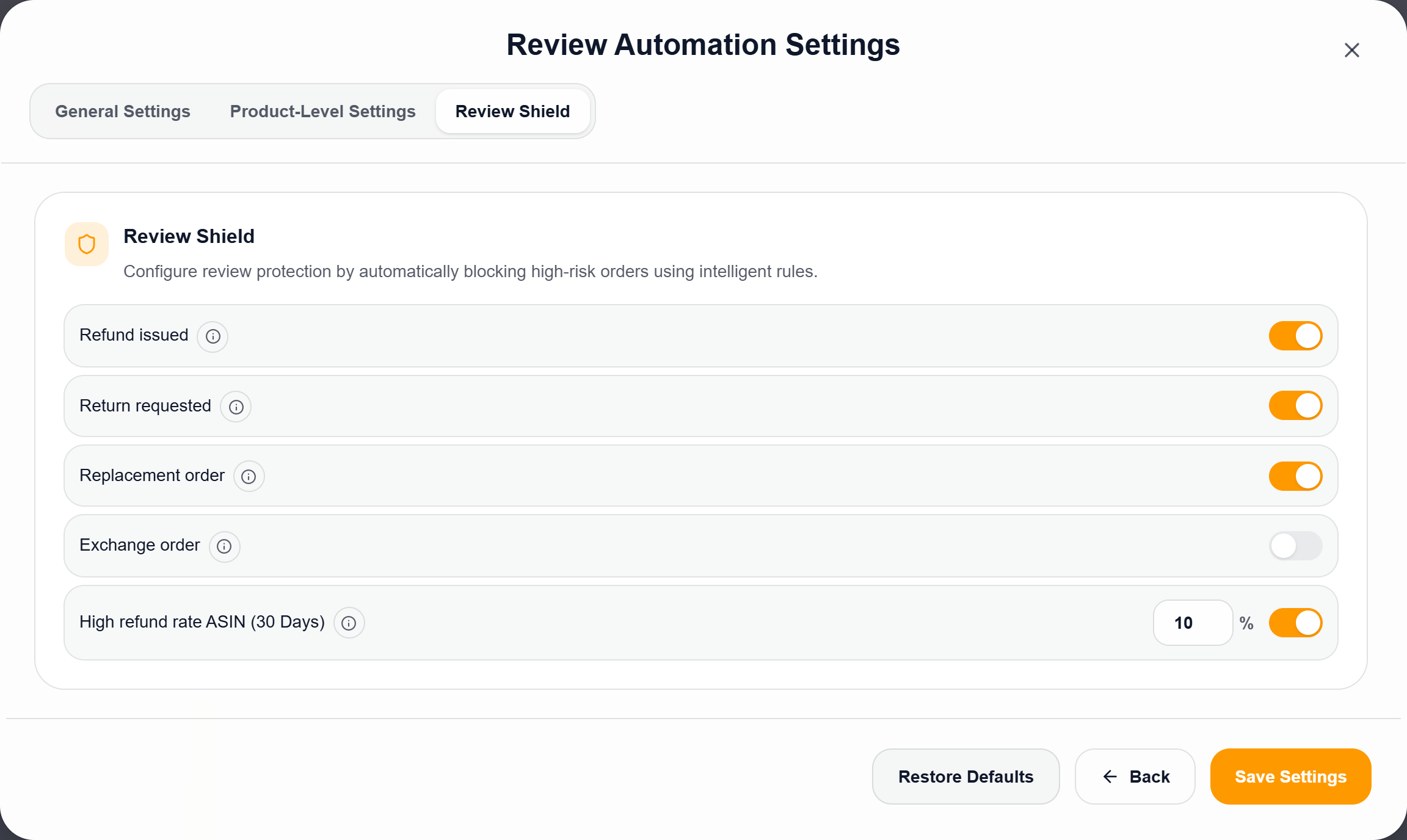
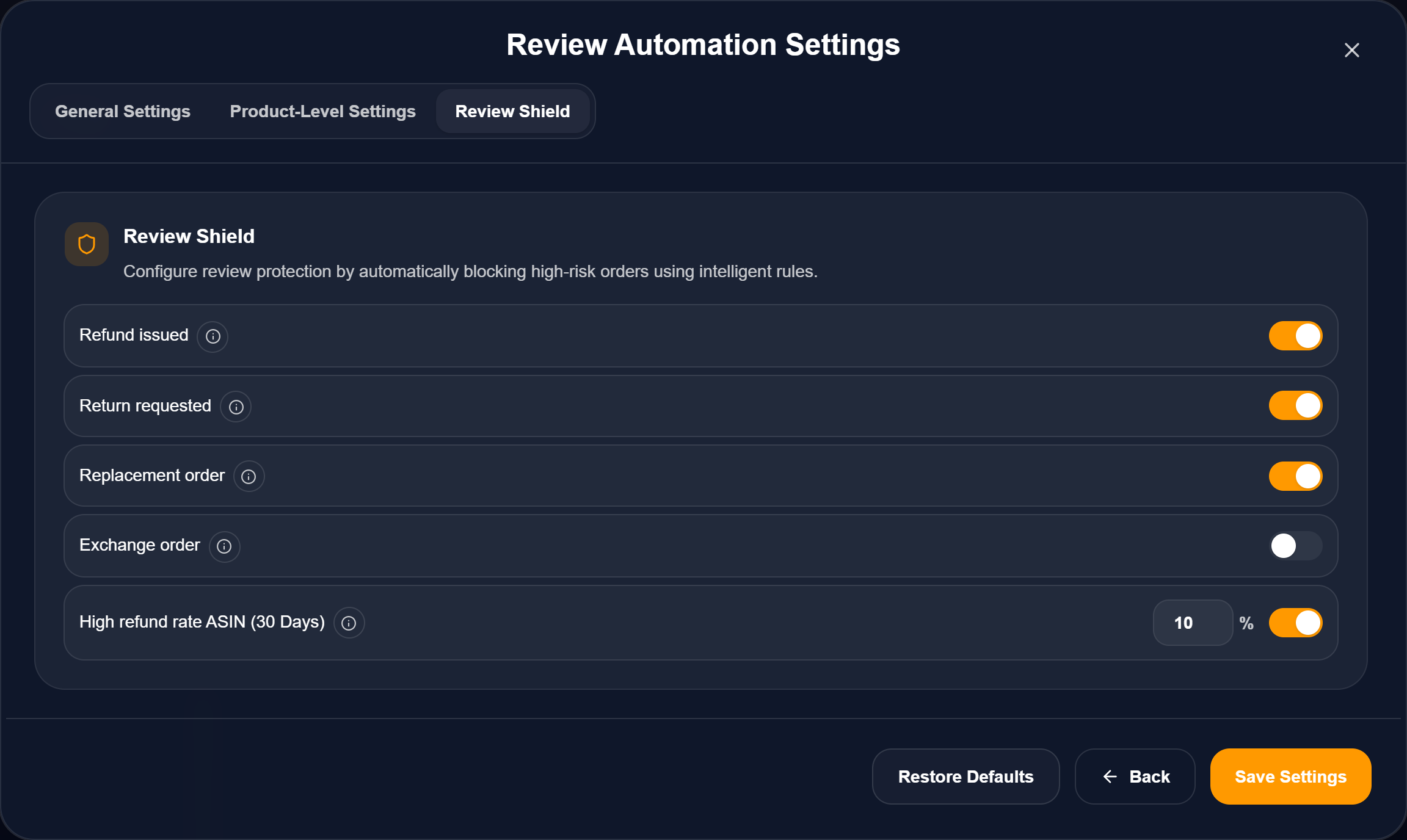
The five shield rules
Refund issued
"Review requests are not sent for orders that have been refunded."
- Rule: any order flagged as refunded is skipped.
- Default: on — and it stays on. This rule cannot be turned off; tapping the switch shows a short notice instead. Review requests are never sent for refunded orders.
- Trigger point: refunds are picked up from your dashboard refund sync. The moment a refund lands on an order, the order's state flips to skipped with reason "Refund issued".
Return requested
"Review requests are not sent for orders with an open customer return, before a refund or replacement is resolved. For seller-fulfilled (FBM) orders this is detected as soon as the return is requested. For FBA orders Amazon usually refunds at the carrier's first scan, so the refund rule catches most of them first."
- Rule: any order with an open buyer return is skipped.
- Default: on.
- Trigger point: Amazon's returns reports are pulled alongside the shipment sync. A matching order that's still scheduled flips to skipped with reason "Customer return requested".
- Recommendation: leave this on. A buyer who's returning a product is exactly who you don't want asking to rate it.
What "detected" means depends on who ships the order:
- Seller-fulfilled (FBM): Amazon lists the return the moment the buyer requests it, so the order is blocked before anything ships back — and usually days before the refund posts.
- FBA: Amazon doesn't expose the buyer's return request to sellers. What it exposes is the refund — and for FBA returns Amazon issues that refund at the carrier's first scan of the return label, usually days before the item reaches the warehouse. In practice the Refund issued rule is what blocks most FBA returns. This rule picks up returns Amazon only reports once they're received at the fulfillment center.
Because the return signal can land after the request has already gone out, Sent rows in Order Activity may show an orange "Returned after request" note. That's informational — see Order Activity.
Replacement order
"When Amazon opens a replacement order for a damaged, defective or wrong item, no review request is sent for the replacement order, and the original order is skipped too. Detected from the order itself as soon as it syncs; the FBA replacements report and the FBM returns report act as a backup."
- Rule: two orders are affected. The replacement order Amazon creates (a new, zero-value order ID) is never asked for a review. The original order it replaces is skipped if its request hasn't gone out yet.
- Default: on.
- Trigger point: Amazon marks replacement orders on the order itself, so the rule fires the moment the order syncs — before anything ships. Two reports back it up during the shipment sync: the FBA replacements report, and the FBM returns report where the return was resolved as Replacement.
- Works for FBA and FBM alike. Amazon opens a zero-value replacement order in both cases; for seller-fulfilled orders it lands in your order list to be shipped like any other.
- Recommendation: leave this on. A buyer who received a damaged, defective or wrong item has already had a bad experience, and the replacement order would otherwise be asked for a review like any clean sale — spending one request from your plan on a customer you least want to prompt.
Exchange order
"When a buyer exchanges an item for another size, color or variant, no review request is sent for the exchange order, and the original order is skipped too. Off by default: an exchange is a preference change, not a product problem. Detected from the order itself as soon as it syncs."
- Rule: same two-sided behaviour as the replacement rule — the exchange order is never asked, the original order is skipped if still scheduled.
- Default: off.
- Trigger point: the order itself, as it syncs. Amazon's reports don't distinguish exchanges from replacements, so only the order data feeds this rule.
- When to turn it on: if you'd rather not prompt a buyer who swapped a size or colour at all. Many sellers leave it off: the buyer ended up with the variant they wanted, and that's a reasonable customer to ask.
Replacement and exchange signals can also arrive after a request was sent. Sent rows then show "Replaced after request" or "Exchanged after request" — informational, nothing was blocked. The replacement or exchange order itself carries a small Replacement order / Exchange order badge under its order ID in Order Activity, so you can tell it apart from a regular sale.
When you first connect an account, the last 30 days of orders enter the queue, and Review Automation runs a one-time scan of the same 30 days for return requests and replacement orders before the first requests go out. Pre-connection returns and replacements are therefore applied like live ones: the replacement order is marked, the original is skipped if still scheduled. Exchanges aren't part of that scan — Amazon's reports don't distinguish them — so exchange detection starts with the orders that sync after connection.
High refund rate ASIN (30 days)
"Review requests are not sent for products with a refund rate greater than or equal to the defined threshold within the last 30 days."
- Rule: any ASIN whose 30-day refund rate meets or exceeds the threshold has all its orders skipped.
- Default: off, threshold 10% when you turn it on.
- Adjustable: 1–100%.
- Trigger point: evaluated at send time. When an order comes up for sending, the tool calculates the refund rate for that ASIN across the last 30 days from your order history. If it meets the threshold, the order is skipped with reason "High refund-rate product".
This rule protects you against product-level issues — cases where returns aren't the buyer's fault, they're the product's. A high refund rate is a leading indicator that reviews from any buyer of this product are going to skew negative, so pause the whole ASIN until you understand what's going on.
Threshold tuning:
- 10% (default) — sensible baseline. Products above this on Amazon are typically underperforming.
- 5% — aggressive. Only appropriate for categories where the norm is very low (e.g. simple accessories).
- 20% — permissive. Fine for high-friction categories like apparel where returns are common by nature.
How the shield interacts with your other settings
The shield is a skip layer, not a scheduling layer. It runs on top of your General and Product settings:
- An order that's already skipped for another reason (canceled, product-disabled, manually turned off) never reaches the shield — it's already out of the queue.
- An order that passes your General and Product settings can still be skipped by the shield at the last moment if a refund, return, replacement or exchange lands, or if the ASIN's refund rate crosses the threshold.
- The shield cannot un-skip an order that your settings have already blocked.
What the shield does not do
- Doesn't monitor reviews you receive. Nothing in Review Automation reads star ratings, opens negative-review alerts, or emails you when a low-star review lands. The shield is send-side only.
- Doesn't check buyer message history. An old shield rule around buyer messaging was removed — the current version doesn't consider messages exchanged with the buyer.
- Doesn't do sentiment analysis on the order. It looks at concrete signals (refunds, returns, replacements, exchanges, refund rate). No AI guesses about how satisfied the buyer might be.
Reading skip reasons in the queue
When Review Shield blocks a send, the order's row in the Order Activity table shows:
- Request Status: Skipped.
- Skip Reason: one of "Refund issued", "Customer return requested", "Replacement order", "Exchange order", "High refund-rate product".
You can filter by these reasons in the table — useful when you want to see which orders got blocked over the last month, or to audit the effect of the threshold.
A Sent row with the note "Returned after request", "Replaced after request" or "Exchanged after request" is not a shield skip — the request went out first and the signal showed up later. It's shown so the pattern is visible, not because anything was blocked.
Adjusting the shield
Settings → Review Shield tab:
- Each rule has an on / off toggle — except Refund issued, which is always on.
- The high refund-rate rule additionally has a % threshold input (1–100).
- Save Settings persists the change.
Restore Defaults resets the shield too: Return requested, Replacement order and Refund issued on, Exchange order off, High refund rate ASIN (30 Days) off at 10%. The change stays in the modal until you press Save Settings.
Recommended configuration for most sellers
Keep the refund, return and replacement rules on, and turn on the high refund-rate rule at its 10% default once you have a month of order history to judge it against. Leave the exchange rule off unless you'd rather not prompt variant swaps at all. The shield is worth 1–2% off your total send volume in exchange for meaningfully fewer bad reviews arriving from your own funnel. That's a great trade.
Reach for the toggles only when:
- You've done post-mortem on a product line and know for certain that the returns are logistics-driven (a courier issue, packaging damage) rather than product-driven — you might want to relax the high refund-rate threshold.
- You're running a specific test where you want to see what happens without the shield (rare — and revert as soon as the test is over).