The overall report
Once the analysis finishes, the results area fills top-to-bottom. This page walks through the header, the overall score, and the summary tallies. Sections themselves are covered in Title & bullets and Images, video & A+.
The product card


Right at the top:
- Product image, title, brand, ASIN. If the title couldn't be read for any reason, you'll see "Untitled listing" as a fallback.
- View on Amazon — opens the listing in a new tab.
- BSR lines — main category rank as "#N in ", plus subcategory rank if available.
- Rating and review count — from the live page.
Overall Score
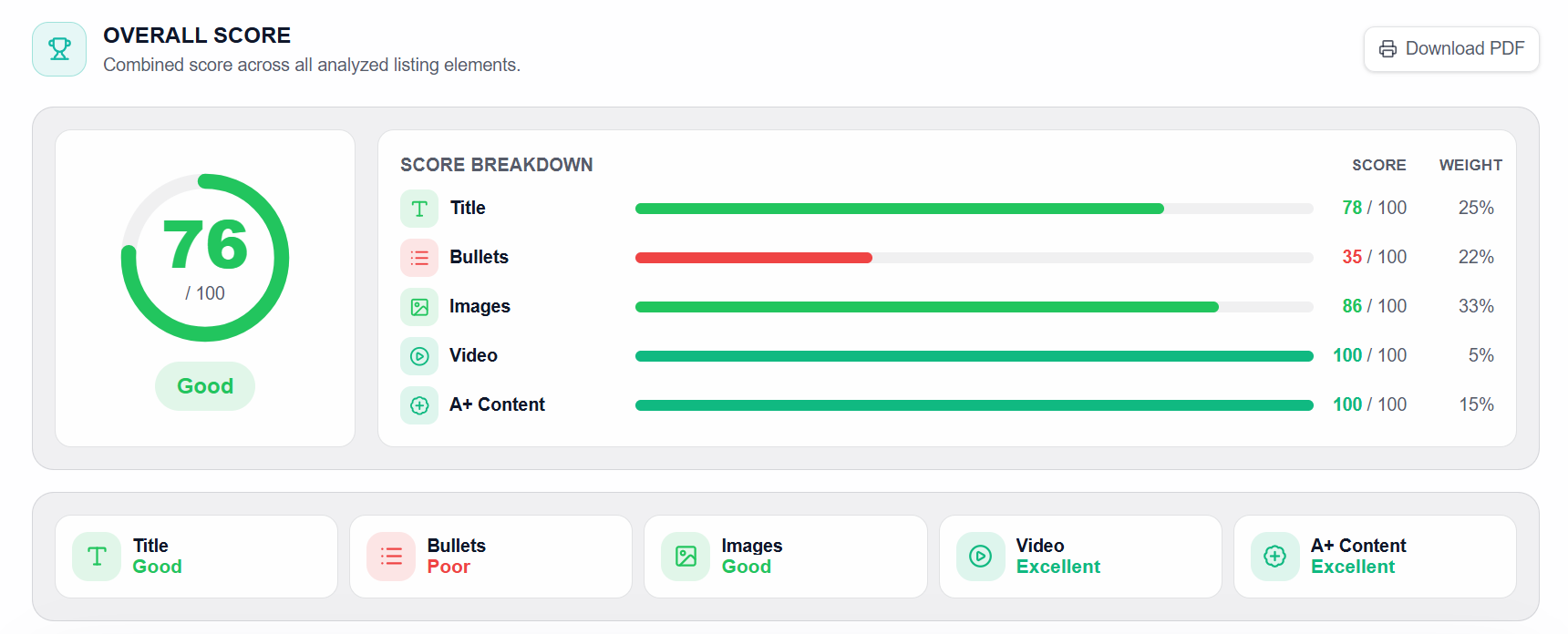
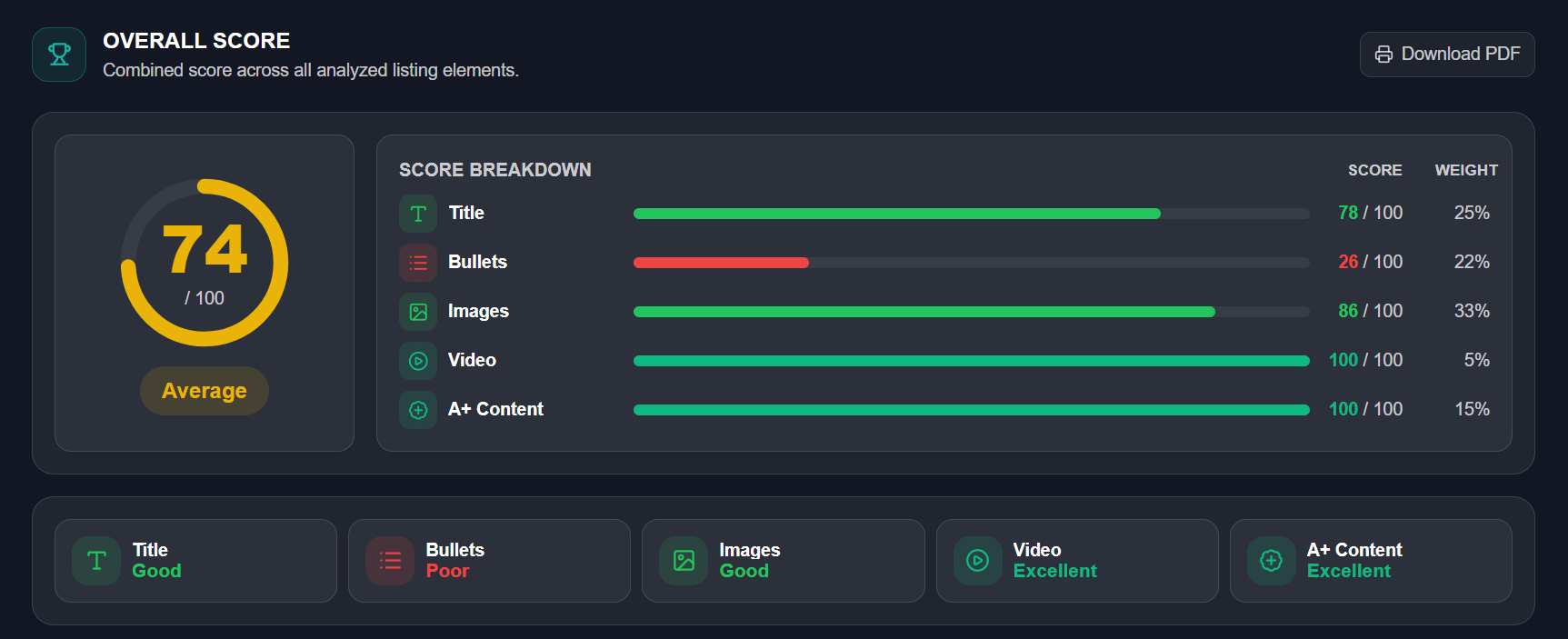
The centrepiece is the overall score ring — a single number out of 100 with a coloured rating band.
| Score | Band | Colour |
|---|---|---|
| ≥ 90 | Excellent | Green |
| ≥ 75 | Good | Green |
| ≥ 60 | Average | Yellow |
| ≥ 40 | Weak | Orange |
| < 40 | Poor | Red |
Under the ring, a Score Breakdown table shows each section's contribution:
| Section | Score | Weight |
|---|---|---|
| Title | 25% | |
| Bullets | 22% | |
| Images | 33% | |
| A+ Content | 15% | |
| Video | 5% |
Every section score = Quality/SEO × 80% + Compliance × 20% (Video is a single blended checklist and doesn't have a separate compliance axis). The overall score is a weight-weighted average of the five section scores.
If a section couldn't be read at all — for example the gallery capture failed — it shows N/A in the breakdown and its weight is redistributed to the sections that were readable. The report footer notes: "Weights renormalized over available sections". Genuine gaps (no video on the listing, no A+ modules) still score 0 rather than N/A — they're real opportunities, not read failures.
The three summary tallies


Directly under the overall score, three counters:
- Violations — critical policy issues found in the compliance checks. These are the fixes that could otherwise get the listing suppressed by Amazon's automation.
- Opportunities — missed keywords, missing intent coverage, absent image slots, missing video / A+, best-practice failures, gating issues. Anything the listing could be doing but isn't.
- Strengths — image slots the listing already covers, pillar checks it passes, presence of video and A+ content, competitive advantages.
The tallies are click-through anchors — hit View Full Report to scroll straight down into the section-by-section detail.
Downloading the report
Download PDF in the header:
- Snaps the current report to a single A4 portrait PDF via the browser's print dialog.
- Forces a light theme regardless of your app theme, so the printed report is always readable.
- File name:
listing-analysis-{ASIN}.pdf. - Copy buttons, download buttons and other chrome are hidden in the PDF output.
There's no server-side share link — export the PDF and send the file.
Section detail cards
Below the overall block, five numbered cards:
- Title
- Bullet Points
- Images
- Video
- A+ Content
Each card carries:
- Score ring for that section.
- Sub-score breakdown for the two axes (Quality/SEO + Compliance).
- What you have — your current title / bullets / gallery preview.
- What we'd change — either a suggested rewrite / fix list, or an "already excellent" confirmation card if the section is scoring 90+.
- Compliance table with pass / fail rows for each policy check.
Read them in order — later cards refer to earlier ones (e.g. the bullets card assumes you've already looked at the title's keyword table).
"Already excellent" confirmations
Any section scoring 90 or above on its Quality/SEO axis skips the rewrite. You'll see, for example:
"Your current title already scores 92/100. It covers the high-value keywords and passes the title best practices, so no rewrite is needed."
This is deliberate — over-rewriting an already-strong listing tends to introduce compliance risks without moving the needle.
Copying content
- Copy on any suggested title or suggested bullet copies it to your clipboard. The button flashes Copied for a second.
- Copy on your current title / current bullets works the same — useful when you want to paste your existing copy into a rewrite tool or diff view.
The current version doesn't push copy directly into Seller Central or into Listing Builder. Copy the text, paste it where you need it.